
Appearance
Manage application roles
INFO
The functionality on this page is only available to users who have the Manage Users right, such as an Admin or Director.
Access the management interface
To configure the user roles for your Consult app, complete the following steps:
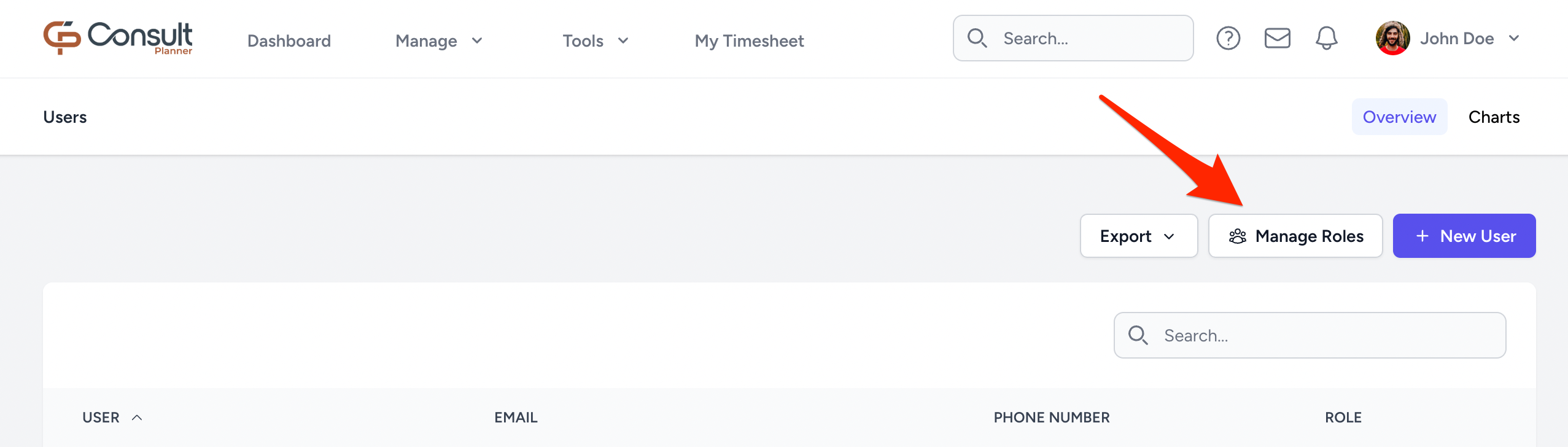
- On the navbar, select Manage > Users.
- Click MANAGE ROLES:
A default set of user roles is displayed:
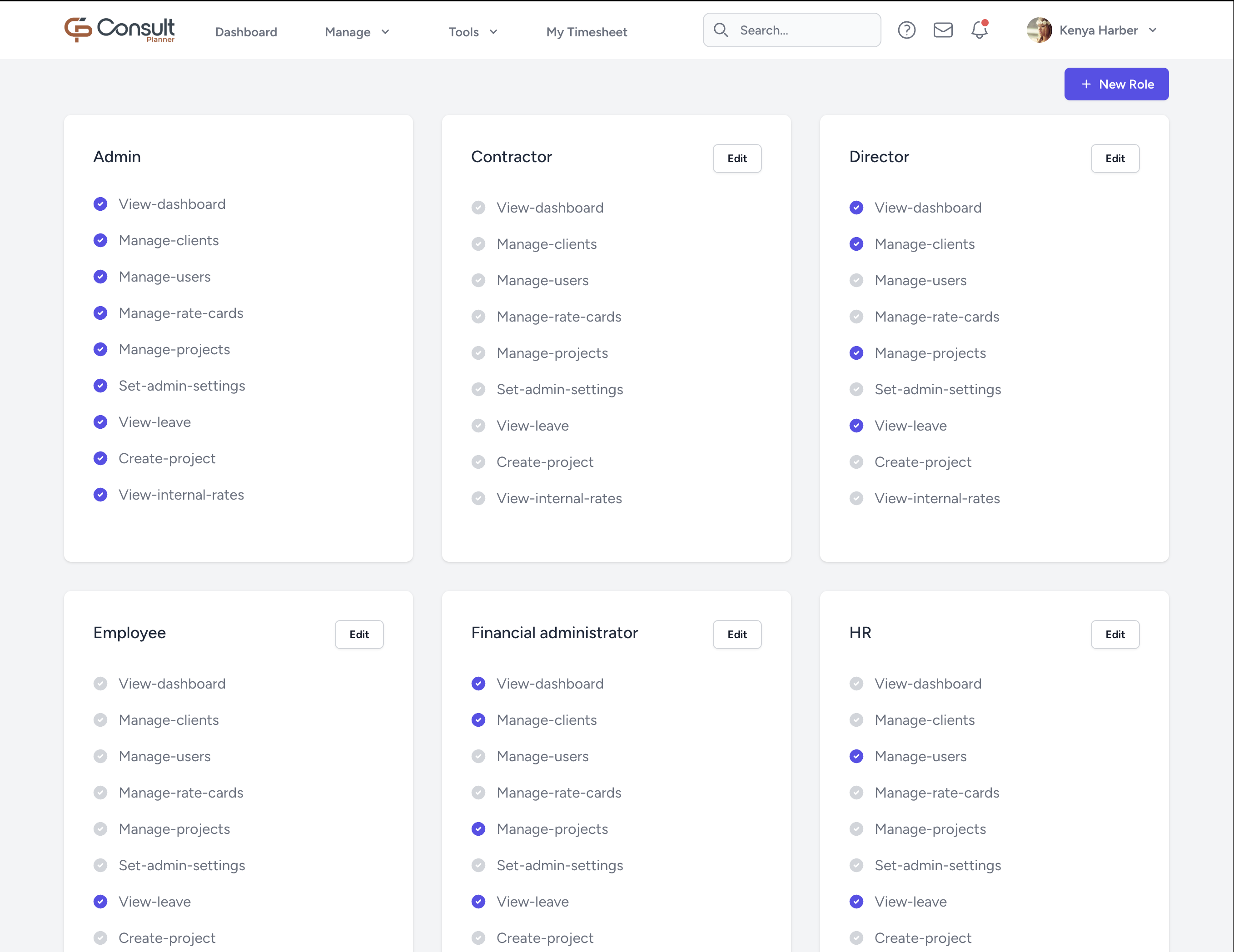
From here, the roles can be edited and new roles can be added.
INFO
The Admin role includes all rights and cannot be edited.
Assign rights to roles
When creating a new role, the following rights/abilities can be added:
| Right | What it allows you to do |
|---|---|
| View-dashboard | Access the main dashboard and see key financial metrics and project summaries. |
| Manage-clients | View, create, update, and delete client records. |
| Manage-users | View, create, update, and delete users and their roles. |
| Manage-rate-cards | View, create, update, and delete rate cards. |
| Manage-projects | View, create, update, and delete projects. |
| Set-admin-settings | Change global admin settings and configurations. |
| View-leave | Access the leave section and submit leave requests. |
| Create-project | Create new projects from scratch. |
| View-internal-rates | View internal rates, allocations, and user statistics. |